Category
AI Coding Assistants
AI coding assistants work where you write code: inline completions, chat about your codebase and agent modes that plan and apply multi-file changes. Some are extensions for the editor you already use; others are AI-first editors built on the VS Code foundation that replace it. Both kinds are covered here.
How to choose:
- Extension or new editor: an extension keeps your IDE, keybindings and plugins; an AI-first editor offers tighter integration but asks you to switch.
- Pricing model: most plans now combine a monthly fee with usage-based credits for premium models and agent runs — estimate your real usage before committing.
- Model choice: check which models you can use and whether access depends on the vendor’s partnerships.
- Team controls: SSO, audit logs, data retention and policy settings matter as soon as more than one developer is involved.
Our reviews: Cursor, GitHub Copilot, Windsurf (Devin Desktop), JetBrains AI, Zed, Kiro, Augment Code, Tabnine.
AI Coding Assistants reviews at a glance
Listed alphabetically: this is not a ranking. Our ranked picks are in the Top 10. “Best for” and strengths come from each review and its cited sources.
Augment Code
Best for: Teams in large, multi-repo codebases that want an agent with deep codebase context.
- The Context Engine is designed for large, multi-repo codebases and is available to other agents through MCP.
- Agent and chat in VS Code and JetBrains IDEs, plus the Auggie CLI for terminals, CI and ACP-compatible editors.
- Wide model choice across Anthropic, OpenAI, Google, xAI and others, with published per-token rates.
Cursor
Best for: Developers and teams who use AI agents daily and want them inside a VS Code-style editor with strong admin controls.
- Very broad feature set in one product: Tab completions, local and cloud agents, Projects (beta), a CLI and Bugbot code review.
- VS Code-style editor with one-click import of settings, keybindings and extensions.
- Wide model choice plus Auto, a router that picks a model for each request in Cost, Balance or Intelligence mode.
GitHub Copilot
Best for: Teams on GitHub that want one assistant across VS Code, Visual Studio, JetBrains IDEs and pull requests.
- Works in VS Code, Visual Studio, JetBrains IDEs, Eclipse and Xcode, with completion-only support in Neovim.
- Unlimited code completions and next edit suggestions on paid plans, outside the credit system.
- Native GitHub workflow: the cloud agent turns issues into pull requests, and Copilot reviews pull requests.
JetBrains AI
Best for: Developers who work in IntelliJ-based IDEs and want AI built on the IDE's own code intelligence.
- Deep integration with IntelliJ-based IDEs, including AI actions for commits, tests, documentation, SQL and error explanations.
- Code completion and next edit suggestions do not consume AI Credits, even on the free tier.
- Bring-your-own-key support for Anthropic, OpenAI, Google and OpenAI-compatible endpoints, plus local models via Ollama and LM Studio.
Kiro
Best for: Teams that want AI-written code tied to reviewable requirements, designs and tests, especially on AWS.
- Spec-driven development produces reviewable requirements, design and task files before code is written.
- Correctness tooling: automated checks of requirements for contradictions and gaps, plus property-based tests.
- Clear credit tiers with published model multipliers, no daily or weekly rate limits, and overages switched off by default.
Tabnine
Best for: Regulated enterprises that must run an AI coding assistant in their own VPC, on-premises or air-gapped.
- Private installation options: VPC on GCP, AWS or Azure, on-premises Kubernetes, or fully air-gapped.
- A no-train, no-retain policy for code processed by Tabnine's own models.
- Provenance and attribution checks that flag generated code matching public GitHub code and show its license.
Windsurf (Devin Desktop)
Best for: Former Windsurf users and Devin customers who want one VS Code-compatible IDE for local, cloud and third-party agents.
- A full IDE that stays compatible with Windsurf and VS Code extensions, keybindings and settings.
- An Agent Command Center (a Kanban view) and Spaces for managing many local and cloud agents.
- Open to third-party agents through ACP, including Codex, Claude Agent, OpenCode and custom in-house agents.
Zed
Best for: Developers who want a fast native editor and the freedom to choose their own agents, models and API keys.
- A native Rust editor focused on performance, with an open-source core.
- Bring your own agent: Zed Agent plus external agents over the Agent Client Protocol (ACP), such as Claude Agent, Codex, Gemini CLI, OpenCode, Copilot and Cursor.
- A useful free tier: unlimited use with your own API keys or external agents, plus 2,000 accepted edit predictions a month.

All 8 AI Coding Assistants articles
-
 Review
Cursor Review (2026): Is the AI-First Code Editor Worth It?
Read review →: Cursor Review (2026): Is the AI-First Code Editor Worth It?Cursor in October 2026: agents, cloud agents, Bugbot, plans from free to $200/month, and what SpaceX ownership and the planned OpenAI cutoff mean.
-
 Review
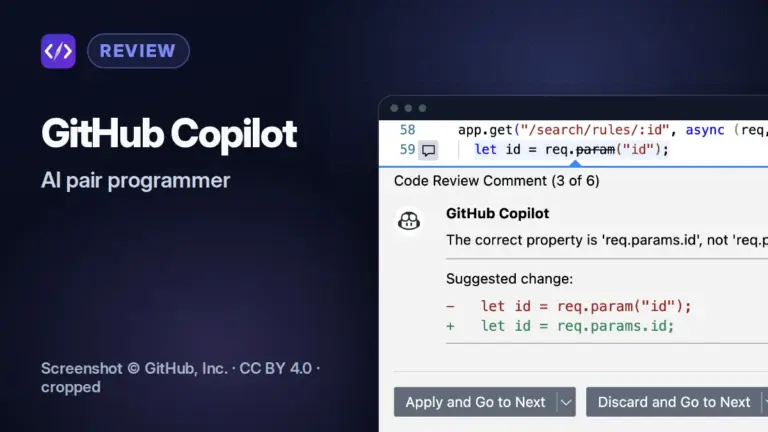
GitHub Copilot Review (2026): AI Credits, Agents and Who It Fits
Read review →: GitHub Copilot Review (2026): AI Credits, Agents and Who It FitsGitHub Copilot in 2026: AI Credits billing, plans from free to $100 a month, IDE coverage, agents, and the cost trade-offs to weigh before subscribing.
-
 Review
Windsurf Review (2026): The AI Editor Now Called Devin Desktop
Read review →: Windsurf Review (2026): The AI Editor Now Called Devin DesktopWindsurf is now Devin Desktop. A research review of Cognition’s agent-first IDE: Devin Local, ACP agents, cloud handoff and October 2026 pricing.
-
 Review
JetBrains AI Review (2026): AI Assistant, Junie and the Credit System
Read review →: JetBrains AI Review (2026): AI Assistant, Junie and the Credit SystemJetBrains AI in 2026: AI Assistant, the Junie agent, credit-based plans from free to $30 a month, BYOK and local models, and who it suits best.
-
 Review
Zed Review (2026): A Fast, Open-Source Editor With Bring-Your-Own AI
Read review →: Zed Review (2026): A Fast, Open-Source Editor With Bring-Your-Own AIZed’s AI features in October 2026: native and ACP agents, edit predictions, your own API keys, and plans from free to $30/seat.
-
 Review
Kiro Review (2026): AWS’s Spec-Driven Agentic IDE
Read review →: Kiro Review (2026): AWS’s Spec-Driven Agentic IDEKiro, AWS’s agentic IDE, as of October 2026: spec-driven development, hooks, property-based tests and credit plans from free to $200/month.
-
 Review
Augment Code Review (2026): Context Engine, Agents and Token Pricing
Read review →: Augment Code Review (2026): Context Engine, Agents and Token PricingAugment Code in 2026: Context Engine, IDE agent and Auggie CLI, token pricing with a 40% fee, and the end of autocomplete outside Enterprise plans.
-
 Review
Tabnine Review (2026): Private AI Coding After the Tricentis Acquisition
Read review →: Tabnine Review (2026): Private AI Coding After the Tricentis AcquisitionTabnine after its 2026 acquisition by Tricentis: private and air-gapped deployment, Context Engine, no public pricing, and who should still consider it.