Disclosure: CodeToolPilot may earn a commission if you buy through links on this page, at no extra cost to you. How we make money.
This is an editorial research guide based on official documentation, pricing pages and the sources listed below — how we review. Prices and plans change often; confirm on the vendor’s site.
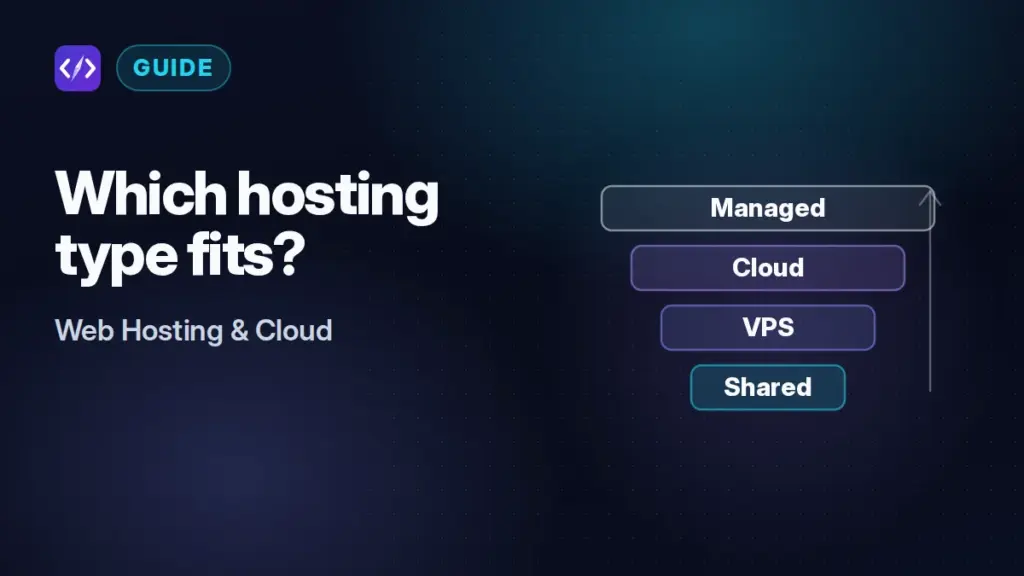
“Shared”, “VPS”, “cloud” and “managed” are the four labels you meet first when you shop for hosting. They are not four points on one scale. They describe two separate things: how much of a machine you get (shared hosting, a VPS, cloud infrastructure) and who runs it (you, or a managed provider). Hosting companies also stretch the words for marketing. That is why a “cloud hosting” plan from one company and a cloud server from another can be completely different products.
This guide untangles the terms for developers and technical founders. It explains what you actually get and what you are responsible for at each level, and what each typically costs in October 2026. When you know which category fits, our hub for developer web hosting compares specific providers.
This is an editorial research guide. The examples and prices come from vendors’ official pricing pages and documentation, which are linked in the sources. We did not run benchmarks, and we make no claims about which type is faster in general, because that depends on the workload and the specific plan.
The short answer
Choose shared hosting for small PHP or WordPress sites when the lowest price matters most and you can live with fixed limits. Choose a VPS when you need root access, custom software or background processes, and you are comfortable administering Linux. Choose cloud infrastructure (hourly or per-second billed servers) when you need to resize, automate or scale on demand. Choose managed hosting when you want someone else to handle patching, caching, backups and support. You can apply managed hosting on top of cloud servers (managed cloud) or specialised for one application (managed WordPress). For modern JavaScript frontends and API services, a platform-as-a-service is often a better fit than any of the four.
What each term actually means
Shared hosting puts many customers’ sites on one server, managed by the host. You get a control panel, a slice of resources and fixed limits, but no root access.
A VPS (virtual private server) is a virtual machine with its own operating system and allocated CPU, RAM and disk. You usually get root access and install what you like. Most budget VPS plans are unmanaged: the provider keeps the hardware and hypervisor running, and the operating system and everything above it is your job.
Cloud hosting has two common meanings. In the infrastructure sense, it means renting virtual machines and services (such as DigitalOcean Droplets or AWS EC2) through an API, billed by usage, with resizing on demand. In the marketing sense, many hosting companies use “cloud hosting” for a managed plan with more dedicated resources than shared hosting. Hostinger, for example, says its cloud plans offer “more resources than shared hosting, but less control than VPS”.
Managed hosting is about responsibility, not hardware. A managed host runs the server layer for you, sometimes the application layer too, and supports it. That can be on shared machines, on VPS-style servers (as Cloudways does on top of DigitalOcean, AWS and others) or on a platform built for one application (as Kinsta and WP Engine do for WordPress).
Who is responsible for what
The real difference between these categories is who handles each task. This table shows the typical split. Individual plans vary, so check the plan you are considering.
| Task | Shared | Unmanaged VPS / cloud VM | Managed cloud (e.g. Cloudways) | Managed WordPress (e.g. Kinsta) |
|---|---|---|---|---|
| OS and security patches | Host | You | Host | Host |
| Web server, PHP, caching config | Host (limited settings for you) | You | Host, with dashboard settings | Host |
| Root access | No | Yes | No (Cloudways does not offer it) | No |
| Backups | Usually included | Paid add-on or DIY (DigitalOcean charges 20–30% of the Droplet price) | Included, with offsite storage billed per GB | Included (14 days’ retention on Kinsta’s standard plans) |
| Scaling | Upgrade plan | Resize or add servers yourself | Resize from dashboard. Autoscaling on some products. | Upgrade plan, pay overages |
| Support scope | Platform and app basics | Infrastructure only | Server stack and apps | Server stack and WordPress |
Shared hosting: managed and low-priced, with hard ceilings
Shared hosting is the lowest-priced way to get a managed PHP or WordPress site online, and modern plans are more developer-friendly than their reputation suggests. Hostinger’s shared plans include SSH and Git deployment from GitHub or GitLab. SiteGround includes SSH and WP-CLI on every plan.
The limits are the catch. Hostinger’s Premium plan, for example, caps you at 400,000 inodes (files and directories), 40 PHP workers, 10 databases, 2 GB of RAM and one CPU core. “Unlimited” features at most shared hosts fall under fair-use policies. You also cannot install system packages or run long-lived processes outside what the panel supports.
The other catch is billing. Shared hosting headline prices are almost always introductory and tied to prepaid terms. As of October 2026, Hostinger Premium is $2.99/month on a 48-month term and renews at $10.99. SiteGround StartUp is $2.99/month for a 12-month prepay and renews at $17.99 (both excluding VAT). Our Hostinger review and SiteGround alternatives guide go into those terms.
VPS: your own server and your own problems
A VPS gives you root access, so you can run Docker, Node.js, Python, databases, queues, cron workers or self-hosted tools such as n8n. Prices for small instances are low. DigitalOcean’s Basic Droplets start at $4/month for 512 MiB of RAM and $6/month for 1 GiB, and DigitalOcean moved them to per-second billing on January 1, 2026. Hostinger’s KVM 1 VPS lists 1 vCPU, 4 GB of RAM and 50 GB of NVMe storage at $6.49/month in the first term, renewing at $11.99.
What you take on is everything above the hypervisor: OS updates, firewall rules, TLS certificates, web server tuning, monitoring, backups and recovery. Backups are often extra. DigitalOcean charges 20% of the Droplet cost for weekly backups and 30% for daily. Hostinger includes weekly VPS backups, but its snapshots expire after one day. For a detailed provider comparison, see DigitalOcean vs Vultr vs Hetzner.
Cloud hosting: two different products under one name
Infrastructure cloud means VMs and managed services you control through an API: DigitalOcean, AWS, Google Cloud and Vultr, for example. The advantages are usage-based billing, quick resizing, many regions and add-on services such as managed databases, object storage and load balancers. The downside is that costs are harder to predict. Bandwidth, storage and backups are often billed separately, and you are still the administrator unless you add a management layer.
“Cloud hosting” plans from hosting companies are usually managed hosting with more dedicated resources. Hostinger’s Cloud Startup lists 4 CPU cores, 4 GB of RAM and 100 GB of NVMe storage, managed through the same hPanel as its shared plans. It costs $7.99/month on a 48-month term and renews at $25.99. SiteGround’s Cloud plans start at $100/month for 4 CPU cores and 8 GB of memory, billed monthly. Neither gives you a raw VM. When you see “cloud”, check whether you are buying infrastructure or a managed plan.
Managed hosting: paying someone to run the server
Managed cloud platforms put a management layer on top of infrastructure providers. Cloudways, owned by DigitalOcean, runs your apps on servers from DigitalOcean, Vultr, Linode, AWS or Google Cloud, billed hourly from $11/month for a 1 GB DigitalOcean server. For comparison, DigitalOcean lists the same RAM and vCPU size at $6/month without management. You get SSH, Git deploys and staging, but not root. Our Cloudways review covers what the markup buys.
Managed WordPress hosts go further and tune the whole stack for one application. Kinsta and WP Engine both start at $35/month on monthly billing for one site. They include staging, daily backups, CDN, security tooling and WordPress-specific support, and they meter usage by visits, bandwidth or both. They suit sites where downtime or slowness costs real money. We compare the two in Kinsta vs WP Engine.
Where platforms like Vercel fit
If you are deploying a Next.js frontend, a static site or an API service, a platform-as-a-service may fit better than any traditional hosting type. These platforms connect to your Git repository, build on every push, give you preview deployments and handle TLS and CDN. Vercel’s Hobby plan is free for personal, non-commercial use. Its Pro plan costs $20/month per developer seat and includes $20 of usage credit, with usage billed beyond that. The trade-offs are usage-based bills and less control over the runtime. Our comparisons of Vercel, Netlify and Cloudflare Pages and of Render, Railway and Fly.io cover frontend and backend platforms respectively.
Comparing costs honestly
Headline prices are not comparable across categories unless you normalise them. Three checks matter most:
- Term and renewal. Shared and hosting-company cloud plans usually need 12 to 48 months’ prepayment for the advertised rate and renew much higher. Infrastructure cloud and managed cloud are typically billed hourly or per second, with no term.
- What is included. A $6 VPS plus paid backups, a mail service and your own time is not the same product as a $35 managed WordPress plan with backups, CDN, a WAF and support.
- Usage meters. Bandwidth overages, visit limits, PHP workers and inode caps define when a cheap plan stops being cheap.
| Category | Example entry price (as of October 2026) | Billing basis |
|---|---|---|
| Shared | Hostinger Premium $2.99/month (renews $10.99). SiteGround StartUp $2.99/month (renews $17.99). | Prepaid 48 or 12 months |
| Hosting-company “cloud” | Hostinger Cloud Startup $7.99/month (renews $25.99). SiteGround Cloud $100/month. | Prepaid 48 months / monthly |
| Unmanaged VPS | DigitalOcean Basic $4–$6/month. Hostinger KVM 1 $6.49/month (renews $11.99). | Per second / prepaid term |
| Managed cloud | Cloudways from $11/month | Hourly, invoiced monthly |
| Managed WordPress | Kinsta $35/month. WP Engine $35/month. | Monthly, or discounted annually |
| Platform-as-a-service | Vercel Pro $20/month per developer seat, plus usage | Monthly plus usage |
All prices are in USD, exclude tax, and are the providers’ published rates. Confirm current prices on Hostinger’s plan comparison, DigitalOcean’s Droplet pricing, Cloudways’ pricing page, Kinsta’s pricing page and Vercel’s pricing page before you decide.
How to choose
- Start from the workload. A WordPress or PHP site fits shared, managed cloud or managed WordPress. A Node.js, Python or containerised app points to a VPS, cloud VMs or a PaaS. A static or Next.js frontend points to a frontend platform.
- Be honest about operations. If nobody on the team will patch servers and test restores, avoid unmanaged VPS hosting for anything that matters.
- Check the ceilings you will hit first. On shared plans, that is PHP workers, inodes and RAM. On managed WordPress, it is visits and bandwidth. On a PaaS, it is usage-based charges.
- Price the full period. Compare introductory price plus renewal over two to four years against an hourly-billed option, and add backups, email and support.
- Keep an exit path. Prefer setups you can migrate: Git-based deploys, standard databases and DNS you control. That way, moving up a category later is a planned step, not a rescue.
If you are also deciding whether to use a site builder, WordPress or custom code at all, our guide to website builders vs WordPress vs custom code covers that earlier decision.
Bottom line
Shared hosting buys a low price and someone else’s maintenance, within fixed limits. A VPS buys control, and you take on the work that comes with it. Infrastructure cloud adds flexibility and usage billing. Managed hosting buys back your time, either on top of cloud servers or specialised for WordPress. In our assessment, most small projects are best started on shared hosting or a PaaS, then move to managed cloud or a VPS when a specific limit starts to hurt. Choose the category for today’s workload, read the renewal terms, and keep your deploys portable.
FAQ
Is cloud hosting the same as a VPS?
Not necessarily. A cloud VM from an infrastructure provider is effectively a VPS with usage-based billing and API control. Many hosting companies’ “cloud hosting” plans, however, are managed plans with dedicated resources and no root access, closer to premium shared hosting than to a VPS.
Is managed hosting worth it for a developer?
It depends on what your time is worth. As an example from the price lists, Cloudways charges $11/month for a 1 GB DigitalOcean server that costs $6/month unmanaged. The difference covers patching, stack configuration, backups and support. If you would otherwise spend hours a month on server upkeep, managed hosting is usually worth it.
When should I move off shared hosting?
Move when you regularly hit PHP-worker, inode or RAM limits, need software the control panel cannot install, need background processes, or need more isolation for a business-critical site. In our assessment, managed cloud is the smallest step up and a VPS is the most flexible.
Sources
- Hostinger pricing and plan comparison
- Hostinger VPS hosting
- Hostinger Support: VPS backups and snapshots
- SiteGround web hosting plans
- SiteGround cloud hosting plans
- DigitalOcean Droplet pricing
- DigitalOcean Backups pricing
- Cloudways pricing
- Cloudways Help Center: Why can’t I have root access?
- Kinsta pricing
- WP Engine plans
- Vercel pricing