Disclosure: CodeToolPilot may earn a commission if you buy through links on this page, at no extra cost to you. How we make money.
This is an editorial research guide based on official documentation, pricing pages and the sources listed below — how we review. Prices and plans change often; confirm on the vendor’s site.
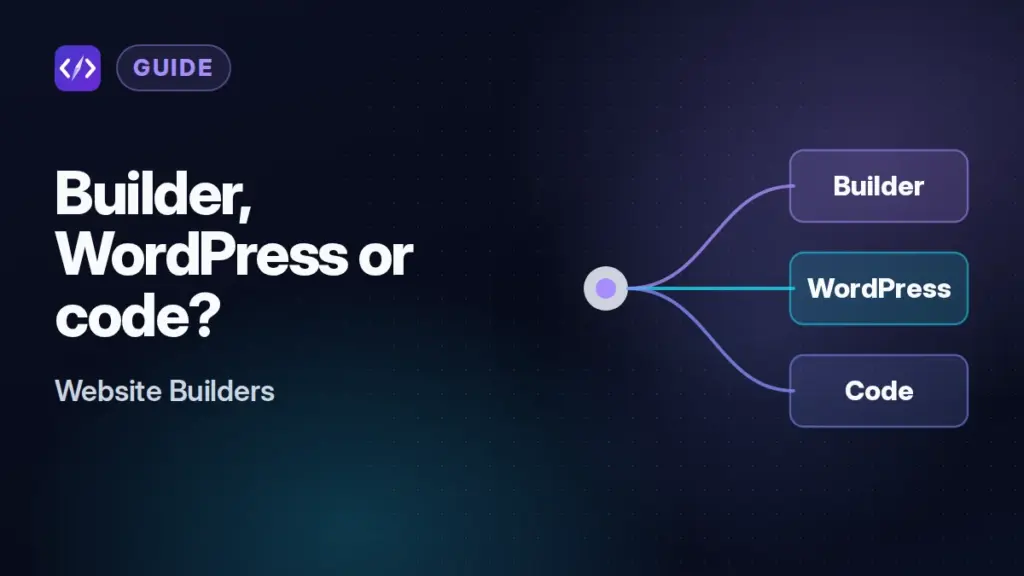
Every new website project starts with the same fork in the road. You can use a hosted website builder such as Wix, Squarespace, Webflow or Framer. You can use WordPress, either self-hosted or on WordPress.com. Or you can write the site yourself with a framework and deploy it to a frontend host. Each option moves cost, control and responsibility to a different place, and switching later is usually a rebuild rather than a migration.
This guide is for developers, technical founders and freelancers deciding how to build a marketing site, blog, portfolio or small store, often for someone else who will maintain it. It explains the trade-offs in plain terms, with current prices and documented export limits, so you can pick on purpose. If you have already decided on a builder and want to compare specific ones, see our website builder comparison covering SEO controls, performance features and flexibility.
This is an editorial research article. It draws on vendors’ official pricing pages, help centers and documentation, checked on October 17, 2026. We did not run our own benchmarks, so it makes no claims about which approach produces faster pages.
The short answer
Use a website builder when the site is mostly pages and forms, the people editing it are not developers, and you value having hosting, security and updates handled for you more than you value portability. Use WordPress when content is the core of the site, you want a large plugin ecosystem, and you want the option to move hosts. Use custom code when the site is really part of a product, needs logic a builder cannot express, or must fit an existing engineering workflow with Git, reviews and CI.
What each option actually is
Hosted website builders
A builder is a software-as-a-service product. You get a visual editor, templates, hosting, SSL and built-in tools such as forms, a blog, a store and SEO settings, all on the vendor’s infrastructure. You pay a subscription, and the vendor runs everything. Builders differ a lot in depth: Webflow and Framer target designers and give fine layout control, Wix and Squarespace target small businesses with broad app ecosystems, and Hostinger bundles a simpler builder (now called Hostinger AI Builder) with its hosting plans.
WordPress
WordPress is open-source software. Self-hosted, it runs on any server that meets its requirements: WordPress.org currently recommends PHP 8.3 or newer and MySQL 8.0+ or MariaDB 10.11+, with HTTPS support. You choose the host, the theme and the plugins. WordPress.com is a managed service built on the same software, with plans that range from a free ad-supported tier to managed hosting with SSH and Git deployments.
Custom code
Custom code means you, or a developer, build the site with a framework or static site generator and deploy it to a host such as Vercel, Netlify or Cloudflare Pages, or to your own server. You control every line of HTML, every dependency and the whole deployment pipeline, and you are responsible for all of it. Content editing needs either Git access, a headless CMS, or a small admin you build yourself.
What each option costs
Subscription prices are easy to compare; the bigger cost is usually people’s time. A few reference points from current price lists (USD, as of October 2026):
- Builders. Wix Premium plans run from $17 to $159 a month on yearly subscriptions (US list prices, per Wix’s plans guide). Squarespace runs from $19 to $99 a month billed annually ($25 to $139 billed monthly). Webflow site plans are $15 (Basic) or $25 (Premium) a month per site billed yearly. Framer’s paid site plans are $10 and $30 a month with yearly billing. Hostinger’s builder starts at $2.99 a month, but only on a 48-month prepaid term, renewing at $10.99.
- WordPress. The software is free. WordPress.com plans cost $4 to $45 a month for the first year when billed annually, renewing at $5 to $50 a month, or $9 to $70 billed monthly; plugins can be installed on every paid plan, and SFTP/SSH, WP-CLI and GitHub deployments come with Business and Commerce. Self-hosted, you pay for hosting plus any premium themes and plugins. Our guide to shared, VPS, cloud and managed hosting explains the hosting price tiers.
- Custom code. Hosting can be free or close to it for small sites. Vercel’s Hobby plan is $0 but is for “personal, non-commercial use”; Pro is $20 a month per developer seat plus usage beyond the included allowance. Cloudflare Pages’ free plan allows 500 builds a month and up to 20,000 files per site. The real cost is development and maintenance time, which depends entirely on who does it and what they charge.
Watch the billing basis. Builder prices are often annual or multi-year, and introductory prices on hosting and WordPress.com plans renew higher. Compare the total cost over the period you actually expect to run the site.
Control over design, SEO and performance
Design. Design-first builders such as Webflow and Framer give close to code-level layout control without writing code. Template-led builders constrain you more: Wix says you cannot switch templates on an existing site, and Squarespace says the same for version 7.1 sites, so a redesign can mean a rebuild. WordPress design control depends on the theme and page builder you choose. Custom code has no ceiling.
SEO. Builders cover the basics automatically and vary in how much you can override. Wix documents an editable robots.txt, a 301 redirect manager and editable structured-data presets; Squarespace generates sitemaps and structured data automatically but says you cannot edit or remove its schemas; Webflow lists canonical tags, sitemap and crawler controls, robots.txt and llms.txt, schema markup and 301 redirects. On WordPress, SEO depends on your theme and plugins. With custom code you control every tag, but you must remember to build each one.
Performance. Builders ship performance features you would otherwise configure yourself: Squarespace creates seven image sizes and converts to WebP by default, Wix says it compresses and converts images to WebP automatically, Framer converts most images to AVIF and lazy-loads lower images, and Webflow offers an AVIF and WebP conversion tool. Self-hosted WordPress performance depends on the host, caching and plugins. Custom code can be very lean or very heavy; the framework does not decide that, the team does.
Lock-in and portability
In our assessment, this is where the options differ most, and it is easy to overlook when a project starts.
- Wix says your site “must run on Wix’s servers”; there is no export.
- Squarespace exports some content (layout pages, one blog, text and image blocks) to a WordPress XML file, but not store pages, style settings or custom CSS.
- Framer states it “does not offer HTML export for self-hosting”.
- Webflow offers code export of HTML and CSS on paid Workspace plans, but says CMS items and pages cannot be exported that way. Our Webflow vs WordPress comparison goes deeper on this.
- Hostinger’s drag-and-drop mode exports pages, text and images to WordPress but not layouts, the store or SEO settings; its Agentic mode exports a React and Vite project.
- Self-hosted WordPress is open-source software, so the whole site (files and database) can move to any host that meets its requirements.
- Custom code is as portable as its dependencies: a static build runs almost anywhere, while code that relies on one host’s edge functions or image service needs rework to move.
Your domain is portable on every option, so you can always redirect old URLs to a rebuilt site. What you cannot always move is the design and the structured content.
Maintenance, security and who does the work
With a builder, the vendor handles servers, SSL, platform updates and most security. Your job is content and settings. The risk is vendor risk: price changes, feature removals or a plan expiring. Hostinger, for example, warns that if a plan expires and is not renewed, the project’s data is permanently deleted.
Self-hosted WordPress makes you, or your host, responsible for core, theme and plugin updates, backups and security hardening. Managed WordPress hosts and WordPress.com take much of that on. Plugins are both WordPress’s biggest strength and its main maintenance burden.
Custom code puts everything on the team: dependency updates, security patches, build pipelines and content changes. For a team that already ships software, this is familiar work. For a client who expects to edit a page on a Friday afternoon, it is a support contract.
Where AI app builders fit
AI app builders such as Lovable, Bolt.new and v0 sit between builders and custom code. They generate a real codebase (usually React) from prompts, often with a hosted database and authentication, and most let you sync or export the code. That makes them a fast route to custom code for apps and prototypes. For a content-heavy marketing site edited by non-developers, they lack the visual editing, CMS workflows and built-in SEO settings that builders provide, so in our assessment they complement rather than replace the three options above. Builders are also moving toward them: Wix Harmony and Hostinger’s Agentic mode both add prompt-driven building on top of a hosted platform.
How to choose
- Who edits the site after launch? If it is non-technical staff, favor a builder or WordPress. If it is developers, all three work.
- How likely is a move in the next three years? If likely, favor WordPress or custom code, or a builder with a documented export such as Webflow.
- Is the site content or product? Content-heavy sites lean WordPress or a CMS-capable builder; product-like sites with logins and logic lean custom code. If you take the custom route, compare hosts in our Vercel vs Netlify vs Cloudflare Pages comparison.
- What is the real budget over time? Add renewal prices, paid plugins or seats, and an honest estimate of maintenance hours.
- What SEO control do you need? If you need custom schema, redirect rules or robots directives, confirm the builder documents them before you commit.
For small-business sites where a builder is the right answer, our comparison of Wix and Squarespace and Hostinger AI Builder review cover the most common low-maintenance options.
Bottom line
There is no universally right choice, only a right owner for each kind of work. Builders trade portability for convenience. WordPress trades some convenience for ownership and the largest ecosystem. Custom code trades convenience for total control and total responsibility. Decide who will maintain the site and how likely you are to move it, and the choice usually becomes obvious. Get WordPress · Compare WordPress.com plans · Explore Webflow
FAQ
Is a website builder bad for SEO?
No. Major builders generate sitemaps, let you set titles and descriptions, and handle SSL and mobile layouts. The limits show up in edge cases such as custom structured data, robots rules or large redirect sets, which vary by builder, so check the documentation for what you need.
Can I start on a builder and move to WordPress or custom code later?
Yes, but expect to rebuild the design. Some builders export content (Squarespace and Hostinger to WordPress, Webflow to static HTML and CSS without CMS content) and others export nothing. Keep your own copies of text and images, and plan 301 redirects for every changed URL.
Is WordPress.com the same as WordPress?
WordPress.com runs the open-source WordPress software as a managed service. Paid plans now allow plugins, and the Business and Commerce plans add SSH, WP-CLI and GitHub deployments. Self-hosted WordPress gives you full server control, but you or your host handle updates and security.
Sources
- WordPress.org: Requirements
- WordPress.com: Pricing
- Vercel: Pricing
- Cloudflare Pages: Limits
- Wix: Premium plans
- Wix blog: Wix Premium plans guide (US prices)
- Wix: SEO features
- Wix Help Center: Exporting or embedding your Wix site elsewhere
- Wix Help Center: Switching your site template
- Squarespace: Pricing
- Squarespace Help: How Squarespace optimizes your site for search
- Squarespace Help: Formatting images for display on the web
- Squarespace Help: Exporting your site
- Squarespace Help: Changing templates
- Webflow: Pricing
- Webflow Help: Image conversion tool
- Framer: Pricing
- Framer Help: Can I export my website to HTML and self-host it?
- Framer Help: How images are optimized in Framer
- Hostinger: Website builder plans
- Hostinger Support: Export content to WordPress in manual mode
- Hostinger Support: Export code in agentic mode
- Hostinger: AI Builder FAQ